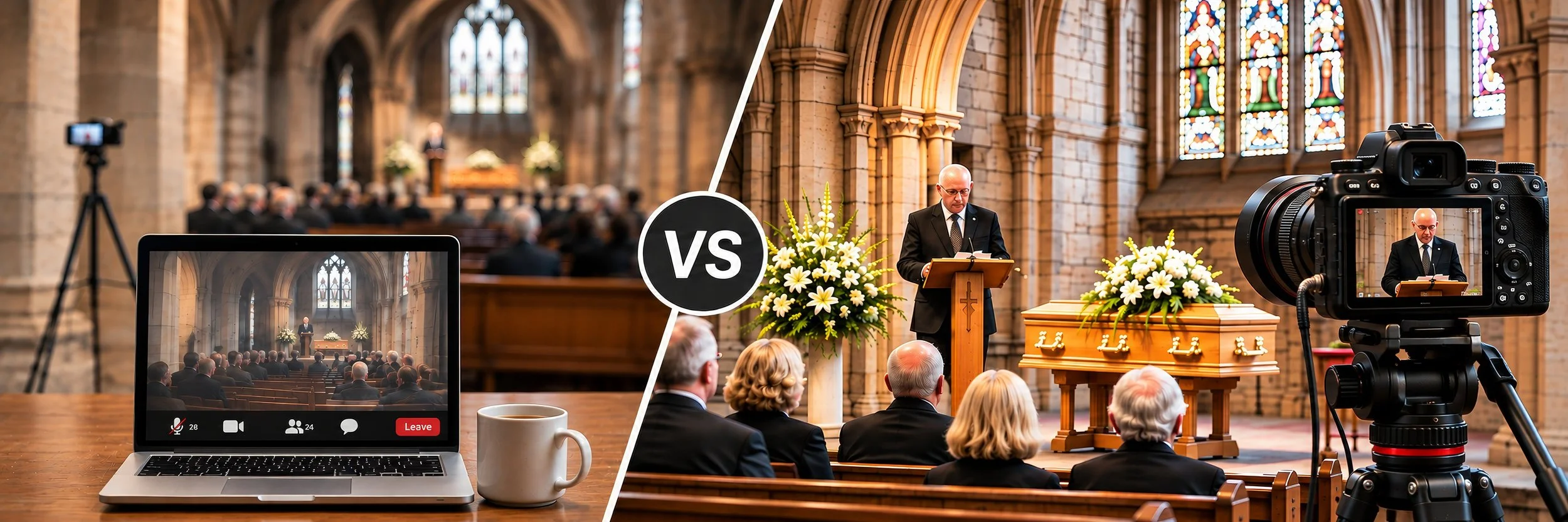
If some of your family and friends can't be at the funeral in person, you've probably wondered whether a Zoom call would do the job. A Zoom funeral simply means setting up a video call during the service so that people who can't be there can join from home. Many families relied on Zoom during the pandemic, and it's still a sensible option for a small, simple service. For most funerals, though, a Zoom call isn't the most reliable way to share the day. Below I compare doing it yourself on Zoom with professional funeral live streaming: the setup involved, what can go wrong, and what each option is really like on the day, so you can choose what's right for your family.
I'm Shaun, and over the past ten years I've personally covered more than 2,500 funerals across the UK. Families often ask me whether they should "just do it on Zoom", and the honest answer depends on the venue, how many people will be watching and how much it matters that everyone sees and hears the service clearly.
What Is a Virtual Funeral?
A virtual funeral is any funeral that people can attend online rather than in person. Sometimes the whole service takes place online, but far more often there's a normal funeral at a church, crematorium or burial ground, and relatives who live abroad, are unwell or simply can't travel watch it from wherever they are.
There are two quite different ways of doing this. The first is a video call, such as Zoom, where everyone joins a meeting together. The second is a live stream, where the service is broadcast to a private viewing link that guests open on a phone, tablet, laptop or television. They sound similar, but on the day they feel very different.
How a Zoom Funeral Works
To hold a funeral on Zoom, someone in the family, or a friend at the venue, creates a meeting, shares the invitation and passcode with the guests, and then sets up a phone, tablet or laptop to point at the front of the room. Guests join the meeting at the start time and watch through that one device's camera and microphone.
The appeal is that it feels personal. People watching can see one another, and if the call is set up carefully, someone at home could even say a few words. That two-way connection is the real strength of a Zoom call, and for a very small gathering it can work well.
There are practical limits too. On Zoom's free Basic plan, meetings with more than one person are limited to 40 minutes, which is shorter than many funeral services, so you'd need a paid account to avoid the call ending part way through. Guests usually need to join through the Zoom app or a web browser, and less confident relatives can struggle with passcodes, waiting rooms and microphones that have been left switched on.
Setting Up a Zoom Funeral Yourself
If you decide to stream the funeral on Zoom yourself, it's worth knowing how much is involved. You'll need a smartphone or laptop, a stable tripod to hold it steady, and ideally an external microphone, which you may need to buy, because a built-in microphone won't reach the front of the room. You'll also need a reliable internet connection, which is often the hardest part in a church with thick walls or a chapel somewhere remote. Every device needs to be fully charged, with an eye kept on the battery throughout, and the Zoom app needs to be installed and up to date.
Before the day, someone has to set up the meeting online and make sure everyone who wants to watch has been sent the invitation. On the day itself, the setting up and testing usually has to happen just as the hearse is arriving and people are gathering, so you'll need to get to the venue before everybody else. That can mean not travelling with the family from the family home to the church, a journey many people want to share.
Once you're there, you'll need to set the camera angle, test the microphone in the room, check the venue's internet connection and test that the stream is working online. You'll need to make sure there's power and Wi-Fi, close any unnecessary apps and put the phone on Do Not Disturb so a call or notification doesn't interrupt the service. Then you have to go live in the right place at the right moment, end the stream once the service is over, and check that you have a recording, pressing download so it isn't lost.
Why Zoom Funerals Often Disappoint
The most common problem I hear about is sound. A laptop or phone at the back of a church sits a long way from the lectern, and everything in between ends up on the recording too: coughs, creaking pews, people shifting in their seats and the echo of the building itself. What gets lost is the person who’s actually speaking. The readings and personal tributes are often the most important part of the day, and they’re exactly what a single built-in microphone struggles to capture.
The second problem is the connection. Many churches have thick stone walls, and rural chapels, cemeteries and natural burial grounds can have very little mobile signal. A video call over the venue's Wi-Fi, or one phone's data connection, can freeze or drop just as an important moment begins. Then there's the picture itself: one fixed device can't show both the wider room and the faces of the people speaking, and if the service moves from the church to the graveside, someone has to carry the device and reconnect it.
It helps to remember that Zoom was designed for face-to-face meetings, not for filming a ceremony. On top of the time limit and the cap on how many people can join on each plan, the picture quality is limited, guests need the right software, and everything has to be managed by hand: the stream itself, the people joining, any technical problems and the recording afterwards. If the connection drops part way through, you may lose that section of the service altogether, both live and on the recording, and if that happens during a family tribute, there's no getting it back.
There’s a quieter cost too. Whoever looks after the Zoom call, usually a son, daughter or close friend, spends the service watching a screen, checking the connection and muting microphones instead of taking part. They can miss the very moments they came to share, and that time can’t be given back.
Finally, a video call isn't automatically a lasting record of the service. Unless someone remembers to record it, and has an account that allows it, there may be nothing for the family to watch again afterwards.
Why You Need a Backup Plan
Whichever way a funeral is streamed, it needs a backup plan, because things do go wrong. A phone can overheat or run out of battery, the signal can drop, or the meeting can end without warning. With a Zoom call, a backup usually means a second charged device, a portable power bank, a mobile hotspot in case the Wi-Fi fails, and a separate recording running on another device, so that if the stream is lost, the service itself isn't. It also helps to have someone ready to let guests know what's happening if the call drops.
Is a Professional Live Stream Better Than Zoom?
For most families, I'd say yes, and I say that from experience rather than theory. Over more than 2,500 funerals, I've learned that every venue is different, and that the problems on the day are rarely the ones you'd expect until you've stood in the building yourself.
The internet connection is a good example. Even with professional equipment, a building with really thick walls can be a challenge, and old stone churches in particular can block a mobile signal almost completely. A Zoom call relies on one connection, usually a single phone or laptop sitting quite centrally in the middle of the room, which is often the worst spot for signal. I normally use four or five internet connections bonded together, and because my equipment is built for this, I can place those connections outside the building or near a window, wherever the signal is strongest, while the cameras stay inside. Where coverage is poor, I add Starlink satellite internet, and I also record the funeral locally, so if the internet is ever interrupted, the service itself isn't lost.
When I live stream a funeral, I attend in person and look after everything, so nobody in the family has to manage the technology, miss the journey to the church or spend the service watching a screen. I arrive early to test the sound, the picture and the connection, so any problems are sorted before people start to gather. I use two professional cameras, moving between a wide view of the service and closer views of the readings and tributes, with dedicated microphones at the main speaking points so every word can be heard clearly.
For your guests, it's simpler than Zoom. They open a private viewing link on a phone, tablet, computer or smart television, with nothing to download, no account to create and nothing to pay. The page normally opens around 20 minutes before the service, and anyone who joins late can catch up using the playback controls. If you'd like to send guests some gentle instructions with the link, my guide on how to watch a funeral live stream explains it step by step.
The recording then stays on the same link for three months, and you'll receive a downloadable HD copy to keep, which helps relatives in other time zones who couldn't watch live. I've explained this in more detail in can you rewatch a streamed funeral?
What a live stream doesn't offer is the two-way feel of a video call, as viewers watch the service rather than appearing on screen. For most families, a clear picture, good sound and a dependable connection matter far more on the day.
When Might Zoom Still Be the Right Choice?
If the gathering is very small, the venue has a strong connection, someone is happy to look after the call, and the people watching mainly want to see each other's faces, a Zoom call can be perfectly adequate. Some families also use Zoom afterwards for an informal online get-together, sharing memories once the service is over. There's nothing wrong with that, and it can sit happily alongside a professional stream of the funeral itself.
Where people are watching from overseas, where the service moves between venues, where the building has poor signal, or where you'd like a recording to keep, professional funeral live streaming is the more dependable choice. My service starts from £650 for one location, and there's no charge for anyone watching and no fixed limit on the number of viewing devices. You can see a full breakdown in my guide to how much funeral streaming costs.
Frequently Asked Questions
-
Yes, if the family or venue has set up a Zoom meeting and shared the invitation with you. You’ll usually need the Zoom app or a web browser, along with the meeting link and passcode.
-
On Zoom’s free Basic plan, meetings with more than one participant end after 40 minutes. Paid Zoom plans allow much longer meetings, which matters for longer services.
-
No. With my live streaming, guests simply open a private link on a phone, tablet, computer or smart TV. There’s nothing to download, no account to create and no charge to watch.
-
Every funeral I stream is recorded. The recording stays on the same link for three months, and the family receives a downloadable HD copy to keep.
Thinking About Streaming a Funeral?
If you're arranging a funeral and want family and friends to be part of it from wherever they are, I'm happy to talk it through and suggest what will work best at your venue. Call or text me on 07772 509101, or send me your funeral details online. I'm available seven days a week, from 9am to 10pm.